 Free trial
Floutwork
Quick facts
- Pricing model
- Free trial
- Minimum price
- from $34/month
- Free access
- 7 trial days
- Platforms
- Windows
- macOS
- Payment methods
- Visa
- Mastercard
- Bank card
- Interface languages
- English
- Service status
- Online, checked


Developer and reliability
Information about the developer and the service's terms. This is a factual reference, not a quality assessment or a guarantee of safety.
- Developer
- Floutwork, LLC
- Legal entity
- Floutwork, LLC
- Legal entity's country
- United States
- Domain registered
- February 20, 2021
- The domain registration date is not the service's launch date.
Compare with alternatives
Choose a pair to compare features, pricing and payment methods.
About the tool
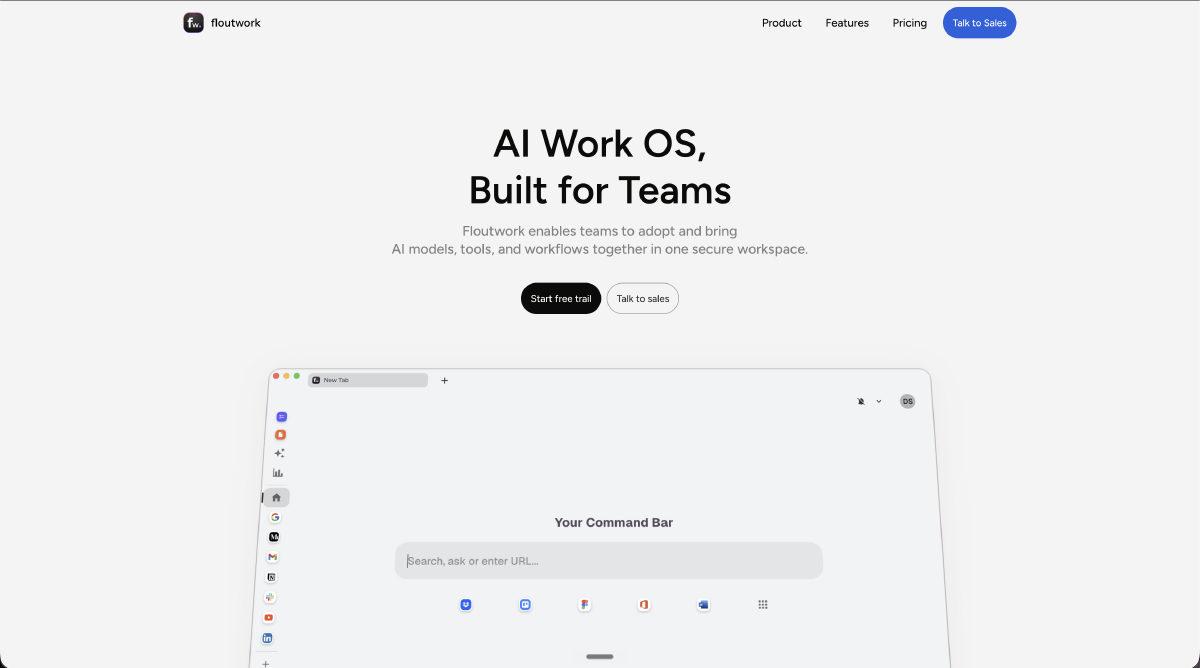
When you work on a modern computer, your brain runs an exhausting conditional loop: copy text from an email, switch tabs to an AI chatbot, paste the context, generate an answer, copy it back into a document, and open a to-do list to check off the task. Every cycle fragments attention and drains cognitive energy. Floutwork was built by Floutwork, LLC to eliminate this context switching by merging a dedicated desktop browser, an aggregator of leading AI models, and daily workflow tools into a unified operating environment for macOS and Windows.
Instead of paying for multiple standalone subscriptions across different providers, Floutwork consolidates models from OpenAI, Anthropic Claude (including Claude Sonnet), Google Gemini, Grok, and Perplexity (Sonar) into a single interface. Much like aggregators such as Krater.ai, which also incorporate multi-model switching to tackle tool sprawl, Floutwork embeds this model routing directly into an active web workspace. Its Auto router inspects incoming queries and attachments to select the right engine dynamically—directing programming problems to Claude Sonnet, real-time web research to Sonar, and quick lookups to rapid models.
The system's core capabilities focus on keeping focus inside one window:
- Smart Work Browser: Built on a dedicated browser engine, it groups tabs by application spaces, supports split views with independent address bars, and features an integrated ad blocker by default.
- Context-Aware AI Assistant: A persistent side panel can read active web pages, selected text, and even canvas-rendered documents in Google Docs and Office without manual copying. Users can attach up to 20 files per chat message (up to 25 MB total), covering presentations, spreadsheets, PDFs, and code.
- Personal Memory Engine: A long-term memory layer creates local vector embeddings from your notes, tasks, bookmarks, and chat history to provide grounded background context for future prompts. You can also import existing memory profiles from other AI tools.
- Integrated Productivity Modules: Fast capture of tasks and notes with full-page screenshots, Pomodoro work intervals, and a specialized inbox cleaner for Gmail and Outlook accounts.
Data privacy is strictly separated between local hardware and cloud storage. Under Floutwork’s zero-training guarantee, customer prompts, files, and memory embeddings are never used to train or fine-tune third-party AI models. Critical sensitive data—including credentials in the built-in Password Vault and connected Google or Outlook caches—is encrypted and stored exclusively on your local machine, never touching Floutwork servers. Cloud data is hosted on AWS and MongoDB Atlas in the United States, backed by automated disaster recovery and regular independent penetration testing.
Floutwork Reviews
No reviews collected yet
We are collecting user reviews of this tool from public sources. They will appear here soon.
Floutwork Pricing & Plans
TRIAL Free
PRO
ENTERPRISE Custom
Prices are based on the provider's information and may change.
Looking for a free option? Try these alternatives to Floutwork:
Floutwork Feature Comparison
Compare key features, prices and capabilities with similar tools
| Feature |  Current tool |  |
|---|---|---|
| Pricing model | Free trial | Freemium |
| Minimum price | from $34/month | from $10/month |
| Free access | Trial access | Yes |
| User rating | ||
| Current tool |
Frequently Asked Questions about Floutwork
Which AI models does Floutwork support, and how does the Auto mode work?
Floutwork integrates models from OpenAI, Anthropic Claude (including Claude Sonnet), Google Gemini, Grok, and Perplexity (Sonar). You can manually switch between providers or enable the Auto classifier, which inspects your prompt and file attachments to route coding tasks to Claude Sonnet, current-events research to Sonar, and everyday questions to fast models, labeling each response with the engine used.
Are my conversations, notes, and passwords used to train AI models?
No. Floutwork maintains contractual agreements with AI providers ensuring that your content, conversations, memory embeddings, and notes are never used to train or fine-tune models. In addition, credentials stored in the Password Vault and connected Outlook or Google email caches are encrypted and saved solely on your local device.
What are the file upload limits in the AI chat?
The AI chat accepts up to 20 attached files per message, with a maximum combined size of 25 MB. Supported formats include text files, code, spreadsheets, presentations, documents, and images. The assistant can also read open canvas-based documents directly inside Google Docs and Office tabs.
What are the subscription plans, and does Floutwork offer a free trial?
Floutwork provides a 7-day free trial that includes $5 in AI credits without requiring a credit card. After the trial, continued access requires a paid subscription, starting with the Pro plan at $34 per month or a custom Enterprise agreement for larger teams. Accepted payment methods include Visa, Mastercard, and bank cards.
How can I pay for Floutwork?
Floutwork payment methods: Visa, Mastercard, and bank card.
What languages is the Floutwork interface available in?
The Floutwork interface is available in: English.
What platforms is Floutwork available on?
Floutwork is available on: Windows and macOS.