
 Paid
Paid
ReWords AI
Quick facts
- Pricing model
- Paid
- Minimum price
- Depends on the plan
- Free access
- No
- Platforms
- Web
- Payment methods
- Visa
- Mastercard
- American Express
- JCB
- Apple Pay
- Google Pay
- Link
- Interface languages · 11
- English
- Español
- Português
- Deutsch
- Français
- 简体中文
- 日本語
- Service status
- Online, checked


Developer and reliability
Information about the developer and the service's terms. This is a factual reference, not a quality assessment or a guarantee of safety.
- Developer
- ReWords AI
- Domain registered
- July 15, 2026
- The domain registration date is not the service's launch date.
Compare with alternatives
Choose a pair to compare features, pricing and payment methods.
About the tool
Fixing text on an exported raster graphic is normally an annoying manual chore. When letters are flattened into a PNG or JPEG, their vector data disappears: the typography is permanently fused with textures, gradients, and lighting. If a marketing date shifts or a price updates, designers face a cumbersome algorithmic loop: locate the lost source file, or manually stamp out the old letters, guess the font family, match kerning by eye, and repaint the background. ReWords AI automates this entire sequence inside a web browser, operating directly on baked-in pixels without requiring source project files from Photoshop, Illustrator, or Canva.
While generative typography platforms like Refont AI focus on rendering stylized letterforms from scratch onto flat visual exports, ReWords AI tackles the reverse problem: modifying or removing typography that is already trapped inside a completed raster asset. The system runs an automated pipeline that detects text boundaries, removes original glyphs, reconstructs the underlying surface textures via generative inpainting, and renders replacement copy matching the original font geometry, weight, color, and angle.
Key capabilities of the workspace include:
- Baked-in text replacement: Select identified words or manually draw bounding boxes across PNG, JPG, and WebP files to swap dates, promo codes, prices, and labels.
- Clean text removal: Leaving the replacement text field blank triggers an inpainting pass that erases badges, watermarks, or lettering while seamlessly filling the background.
- Multi-region batch adjustments: Modify multiple independent text blocks across a single layout in a unified generation pass.
- AI artifact cleanup: Repair garbled or misspelled words generated by models like Midjourney, Stable Diffusion, or DALL-E without rerunning prompts from scratch.
- Visual translation: Detects foreign text on screenshots, packaging, or comic panels, provides editable text translation previews, and renders localized lettering directly into speech bubbles or UI banners.
Quality and operational boundaries are strictly best-effort: the system approximates visual letterforms rather than extracting licensed font files. Crisp printed typography and standard UI labels yield reliable blends, whereas handwritten scripts, extreme perspectives, and heavily compressed images may show imperfections. Furthermore, the platform explicitly bans modifying official documents, IDs, receipts, and invoices.
ReWords AI operates under a paid commercial model where output resolutions dictate credit costs: standard 1K images consume 10 credits, HD 2K uses 20 credits, and Ultra HD 4K requires 30 credits. Subscriptions include the Professional plan (420 credits/month at $9.99), Advanced (1,000 credits/month at $19.99), and Ultimate (2,000 credits/month at $39.99). Users can also purchase standalone credit packs of 100 ($5.99), 200 ($9.99), or 500 credits ($19.99). High-resolution 2K and 4K exports are strictly restricted to monthly subscriptions, and unused subscription credits expire at the end of each billing cycle, whereas one-time credit packs never expire. Payments are processed securely via Visa, Mastercard, American Express, JCB, Apple Pay, Google Pay, and Link, with trial credits granted upon initial sign-in.
ReWords AI Reviews
No reviews collected yet
We are collecting user reviews of this tool from public sources. They will appear here soon.
ReWords AI Pricing & Plans
Professional
Advanced
Ultimate
100-credit pack
200-credit pack
500-credit pack
Prices are based on the provider's information and may change.
Looking for a free option? Try these alternatives to ReWords AI:
ReWords AI Feature Comparison
Compare key features, prices and capabilities with similar tools
| Feature |  Current tool |  |  |
|---|---|---|---|
| Pricing model | Paid | Freemium | Free trial |
| Minimum price | from $9.99/month | from $4.99 one-time | from $9.99/month |
| Free access | No | Yes | Trial access |
| User rating | |||
| Current tool |
Frequently Asked Questions about ReWords AI
How does ReWords AI match the typography of an edited image?
The platform analyzes the visual geometry, stroke weight, slant, and color of the original characters to perform a best-effort visual approximation. It does not identify, extract, or provide installable font files. Standard printed typefaces match cleanly, whereas heavily stylized cursive, rare display fonts, or low-resolution lettering may produce subtle visual variances.
Can I remove text from a graphic without replacing it?
Yes. If you highlight a detected text block and leave the replacement field empty, the AI treats the request as an erasure. It removes the selected characters and uses generative inpainting to reconstruct the background textures, gradients, and noise without inserting new letters.
What is the difference between subscription plans and one-time credit packs?
Rendering a standard 1K image costs 10 credits, HD 2K costs 20 credits, and Ultra HD 4K costs 30 credits. One-time credit packs (100, 200, or 500 credits) never expire but are restricted to standard 1K exports. Unlocking HD 2K and Ultra HD 4K rendering requires an active monthly subscription (Professional, Advanced, or Ultimate), where monthly credit allowances expire at the end of each billing cycle.
What types of images are prohibited from being edited?
ReWords AI explicitly forbids the editing of government IDs, driver's licenses, passports, payment receipts, invoices, and official legal documentation where altering figures or words could mislead others or violate legal compliance.
How can I pay for ReWords AI?
ReWords AI payment methods: Visa, Mastercard, American Express, JCB, Apple Pay, Google Pay, and Link.
What languages is the ReWords AI interface available in?
The ReWords AI interface is available in: English, Español, Português, Deutsch, Français, 简体中文, 日本語, Italiano, 繁體中文, 한국어, and Nederlands.
What platforms is ReWords AI available on?
ReWords AI is available on: Web.
Similar tools
 Refont AI ▲ 1 ▼ 0
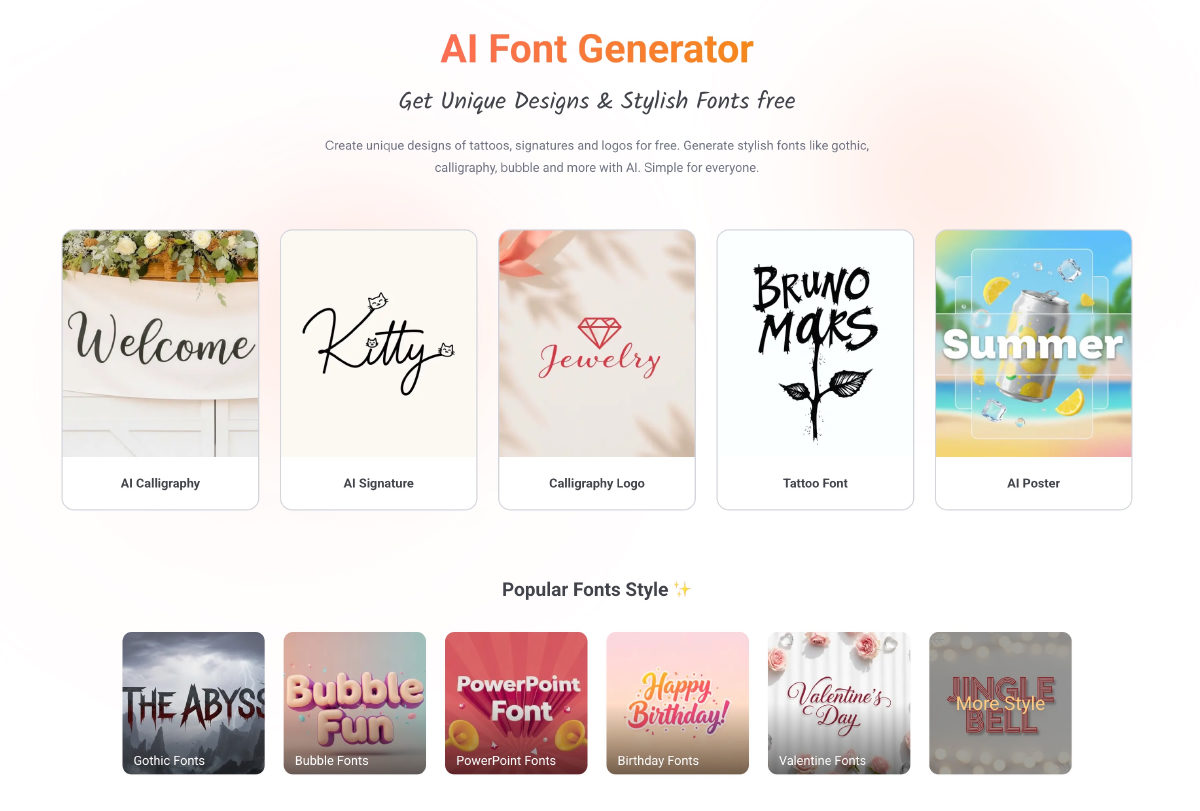
Renders text into decorative raster artwork across styles like calligraphy, graffiti, and tattoo lettering using generative models. It also includes tools to replace and re-render text inside existing images while preserving the original background.
 Image to Image ▲ 1 ▼ 0
Modifies uploaded photos using text prompts while retaining core visual elements like composition, identity, and object poses. It also includes presets for background removal, product staging, and artistic restyling.







