
 Trial
Trial
Make
Quick facts
- Pricing model
- Trial
- Minimum price
- Free
- Free access
- Yes
- Regional payment options
- Pay directly on the website
- Service status
- Online, checked
- User rating
Developer and reliability
Information about the developer and the service's terms. This is a factual reference, not a quality assessment or a guarantee of safety.
- Legal entity
- Celonis Inc.
- Legal entity's country
- United States
- Domain registered
- July 31, 1997
- The domain registration date is not the service's launch date.
Compare with alternatives
Choose a pair to compare features, pricing and assessments.
Editorial assessment
Strong technology platformWhen you start automating business operations, you quickly run into a fork in the road: either hire engineers for every minor integration and maintain custom microservices, or try duct-taping tools together with rigid trigger-action tools. Make occupies the ideal middle ground, operating as a true visual programming engine rather than a passive webhook forwarder.
The service's core advantage is fine-grained execution control. You can disassemble complex arrays with iterators, format payloads on the fly, hand them off to Anthropic Claude or OpenAI, gracefully catch rate limits, and persist execution states into internal Data Stores. It does not hide technical reality: without understanding JSON structures and API logic, building on the canvas can become overwhelming.
The rollout of autonomous agent modules and Model Context Protocol (MCP) compatibility proves the platform is keeping pace with cutting-edge AI architectures, solidifying its position as a top-tier integration solution.
- Functionality High
- Price and value Good
- Ease of use Average
- Reliability and support Good
- Innovation Good
About the tool
Make (formerly Integromat, developed by Celonis Inc.) is an enterprise-grade visual integration and workflow automation platform (iPaaS). It functions as intelligent middleware connecting disparate SaaS services, databases, webhooks, custom APIs, and artificial intelligence models on a drag-and-drop scenario canvas. Instead of writing custom server infrastructure or brittle glue scripts, teams design workflows as directed graphs to process, validate, and transform data in real time.
The platform treats automation as a visual programming environment rather than a simple trigger-action pipeline. Key architectural capabilities include:
- Deep flow control: Native Routers for multi-branch conditional execution, Iterators to split arrays into individual bundles, and Aggregators to compile records back into clean arrays, JSON structures, or tables.
- Multi-vendor AI orchestration: Direct connectors for foundational models from OpenAI, Anthropic Claude, Google Gemini, Grok, DeepSeek, and ElevenLabs, alongside a universal HTTP module to interface with self-hosted instances like Ollama or vLLM.
- Autonomous AI agents: The built-in Make AI Agent module supports Model Context Protocol (MCP), function calling, and knowledge base retrieval, letting autonomous agents reason and execute multi-step tool calls.
- Enterprise error handling: Robust directives such as Resume, Ignore, Commit, Rollback, and Break—the latter parking failed data bundles into incomplete execution queues for automated retries when external APIs throttle requests.
- Data Stores & Ecosystem: Embedded key-value NoSQL storage for state management and deduplication, combined with a catalog of over 1,800 pre-built application integrations.
How it helps you
Make delivers high-leverage efficiency for automation engineers, operations leads, and product teams building complex data workflows without full-stack code.
- Automates multi-step AI pipelines: Ingest customer emails or webhooks, classify intent via Anthropic Claude, synthesize answers with OpenAI, and log records to CRM platforms.
- Eliminates boilerplate backend dev: Replaces microservices with visual scenarios that natively handle data mapping, retries, and format conversions.
- Scales operational syncs: Keeps ERP, CRM, and cloud storage synchronized through event-driven webhooks and scheduled batch runs.
Pros and cons
Pros
- Granular visual flow control with native iterators, aggregators, and parallel routers
- Deep AI catalog with native modules for OpenAI, Anthropic Claude, Google Gemini, and custom REST endpoints
- Sophisticated error directives including automatic retries via execution queues
- Native autonomous agent framework supporting Model Context Protocol (MCP) and tool use
- Over 1,800 application connectors plus a custom app builder and public API
Cons
- Steep learning curve requiring a clear grasp of JSON schemas, arrays, and API logic
- Strict runtime constraints including a 40-second webhook response timeout and per-step payload limits
- Complex, sprawling scenarios become difficult to inspect and maintain without strict documentation
User reviews
No reviews collected yet
We are collecting user reviews of this tool from public sources. They will appear here soon.
Pricing
Free
Core (Pay annually, 10k credits/mo)
Pro (Pay annually, 10k credits/mo)
Teams (Pay annually, 10k credits/mo)
Enterprise
Prices are based on the provider's information and may change.
Looking for a free option? Try these alternatives to Make:


Compare with popular alternatives
Compare key features, prices and capabilities with similar tools
| Feature | Current tool |  |  |  |
|---|---|---|---|---|
| Pricing model | Trial | Trial | Pay as you go | Trial |
| Minimum price | from $10.59/month | from $10/month | Pay as you go | from $40/month |
| Free access | Yes | Trial access | No | Trial access |
| Regional payment options | Direct payment | Direct payment | Direct payment | Direct payment |
| Editorial assessment | Strong technology platform | Strong technology platform | Good specialized service | Good specialized service |
| User rating | ||||
| Current tool |






















Frequently asked questions
Can I connect custom or local AI models to Make?
Yes. While Make maintains official modules for providers like OpenAI, Anthropic Claude, and Google Gemini, you can also use the universal HTTP module to connect with self-hosted models running via Ollama, vLLM, or private cloud endpoints.
How does Make handle external API rate limits and throttling?
Make includes error-handling directives like Break, which catches rate-limit errors (such as HTTP 429), stores the incomplete bundle, and retries execution automatically after a cooldown period. You can also implement sleep delays and queues manually.
What is the Make AI Agent?
Make AI Agent is a specialized framework within the platform that enables autonomous, tool-calling agents. It supports natural language instructions, connected knowledge bases, and the Model Context Protocol (MCP) to trigger scenarios dynamically based on reasoning steps.
Is Make suitable for non-technical users?
Make provides an intuitive visual interface, but it has a noticeable learning curve. Building reliable scenarios requires an understanding of data types, JSON arrays, iterators, and API status codes, making it better suited for low-code builders than absolute beginners.
Similar tools

 NeiroHost ▲ 2 ▼ 0
NeiroHost is a managed cloud platform built to deploy autonomous AI agents without touching terminal commands, Docker containers, or VPS infrastructure.
 VseLLM ▲ 3 ▼ 0
VseLLM is an infrastructure API gateway and aggregator that delivers unified access to major international AI models through an OpenAI-compatible endpoint.
 Taipy ▲ 2 ▼ 0
Taipy is an automated SMM pipeline designed to run like a virtual marketing department for Russian-speaking channels.
 Requesty ▲ 2 ▼ 0
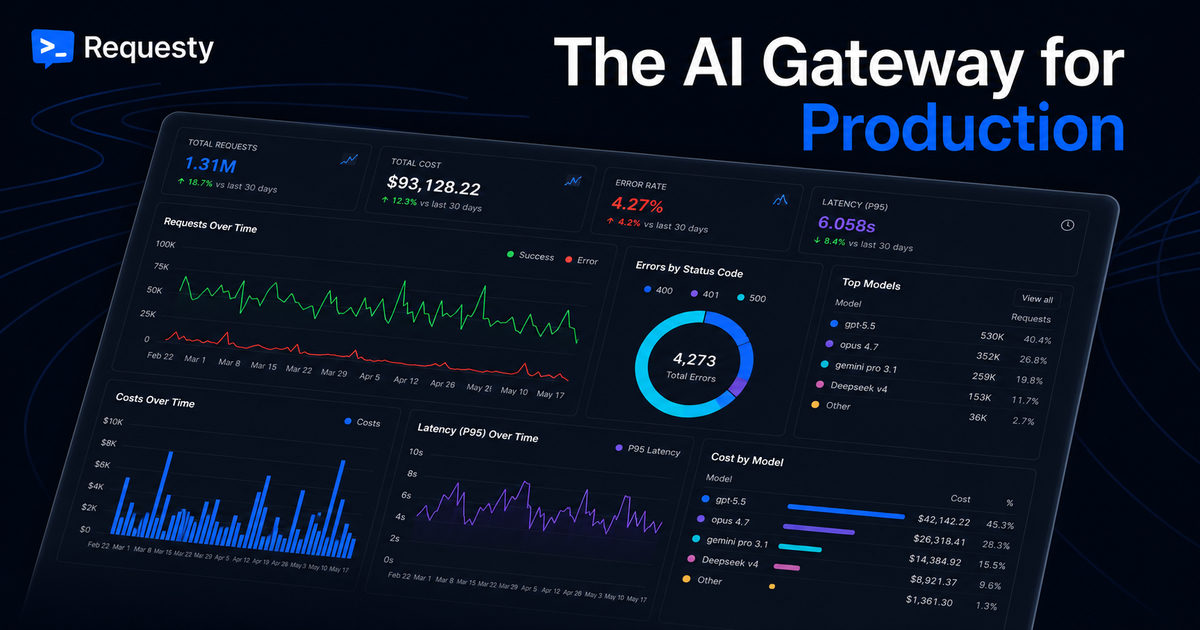
Requesty is a high-performance AI gateway and LLM proxy that sits between your applications and hundreds of external model endpoints.
 OpenCode ▲ 4 ▼ 0
OpenCode is an open-source autonomous coding agent that flips the script on proprietary AI assistants by running directly in your terminal, desktop app, or code editor without locking you into a single corporate ecosystem.
 Chatbase ▲ 2 ▼ 0
Chatbase is a specialized customer experience (CX) platform designed to build, test, and deploy automated support agents trained on proprietary business data.