 Figr VS
  Maket
Maket
In short
- Only Figr offers free access.
Categories AI design and graphics tools AI design and graphics tools, Real estate
Pricing and payment
Pricing model Trial Trial
Starting price Free from $20/month
Free access Yes Trial access
Pricing plans - Free — Free
- Starter — $39 / 100 credits
- Max — $149 / 1,000 credits
- Enterprise — Contact for pricing
- Free — Trial access
- Homeowner — $20/month
- Pro — $100/month
- Scale — Contact for pricing
Regional payment options Pay directly on the website Pay directly on the website
Pricing last changed —
Ratings and reviews
Editorial assessment Good specialized service Good specialized service
Functionality Good Good
Price and value Average Good
Ease of use Good Good
Reliability and support Good Good
Innovation Good Good
User rating +1 +1
Data freshness
Service status Online, checked Online, checked
Last full review of the listing
Checked
Values come from catalog data: collected pricing, editorial assessments, reviews and the verification history. How we assess tools
 Figr
Figr Good specialized service +1 Pros
- Captures real product context directly from live web apps, Figma files, and code repositories
- Systematically maps edge cases including empty states, permission barriers, and network error recovery
- Translates raw PRDs and requirements into structured UX flow boards with transition logic
- Exports clean, editable frames with auto-layouts and native component tokens directly to Figma
Cons
- Significantly less effective for greenfield ideas that lack existing product context or design systems
- Consumption of credits during deep flow generation and workspace indexing demands active monitoring
- Heavily customized or non-standard component libraries can require manual guidance to prevent preview styling quirks
 Maket
Maket Good specialized service +1 Pros
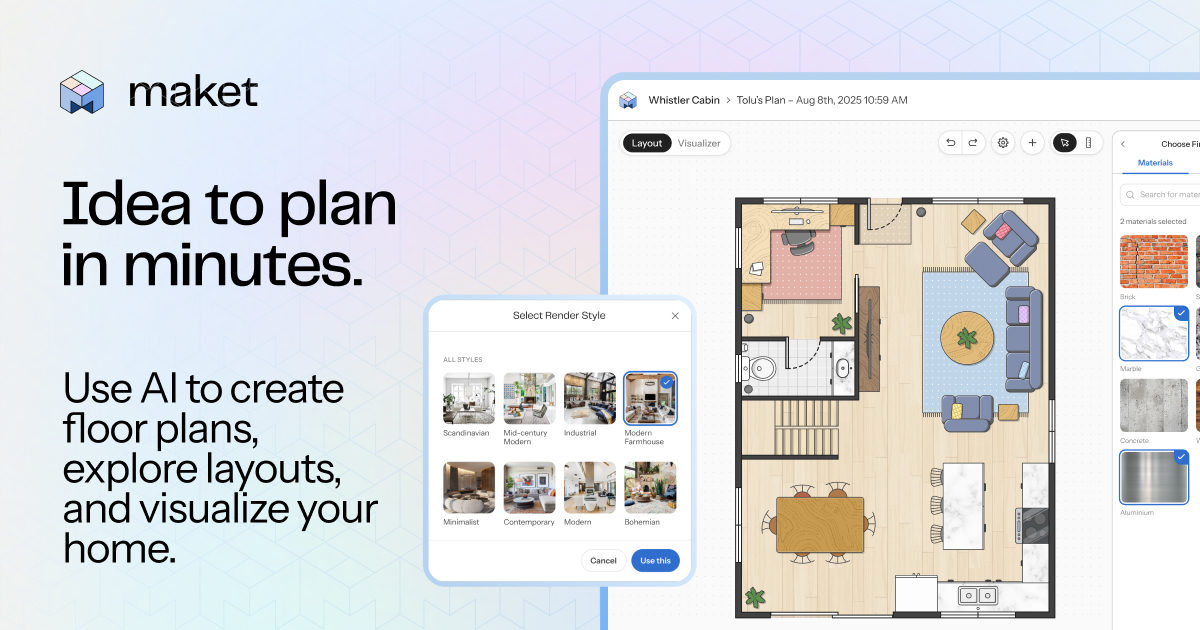
- Generates editable multi-story vector layouts with realistic dimensions rather than abstract pictorial mockups
- Seamless real-time transition between a 2D dimensional canvas and an interactive 3D walkthrough
- Clean DXF vector export for seamless handoff into professional CAD and BIM software
- Conversational layout editing with automated geometric validation to prevent wall collisions
Cons
- Outputs schematic drafts only: no load calculations, MEP engineering, or guaranteed building code compliance
- Vector file downloads (DXF/PDF) and blueprint upload tools are locked behind paid subscriptions
- Complex non-rectangular footprints and multi-family structures frequently cause layout errors
























