
 Free trial
imagetostl.pro
Quick facts
- Pricing model
- Free trial
- Minimum price
- Depends on the plan
- Free access
- Trial access
- Platforms & integrations
- Web
- Payment methods
- Visa
- Mastercard
- Bank card
- Apple Pay
- Google Pay
- Alipay
- Interface languages
- English
- Español
- Português
- Deutsch
- Français
- 简体中文
- Service status
- Online, checked


Developer and reliability
Information about the developer and the service's terms. This is a factual reference, not a quality assessment or a guarantee of safety.
- Developer
- ImageToSTL team
- Domain registered
- June 29, 2026
- The domain registration date is not the service's launch date.
Compare with alternatives
Choose a pair to compare features, pricing and payment methods.
About the tool
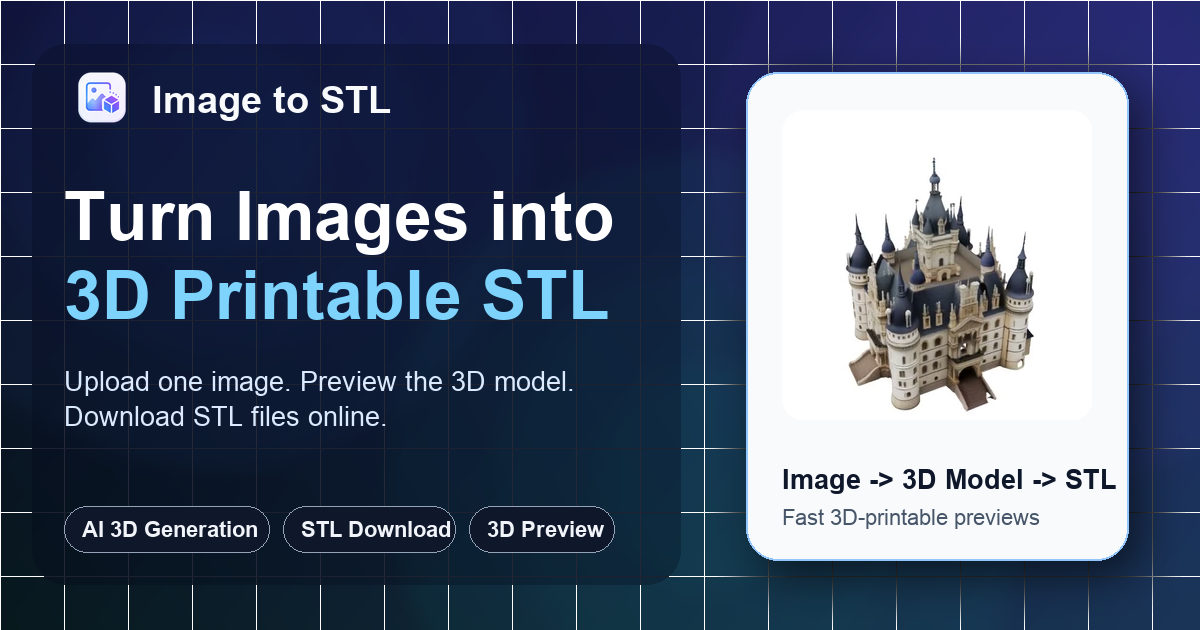
Instead of chasing cinematic CGI assets like general-purpose generators such as Tripo 3D, ImageToSTL zeroes in on the physical world. Built by the ImageToSTL team, it turns 2D pictures, text prompts, and multi-angle photos straight into printable STL meshes—a practical shortcut for makers, educators, 3D printing hobbyists, and Etsy creators prototyping custom designs without touching CAD.
The entire workflow runs right in your browser with zero 3D modeling background required: upload a photo, pick your processing tier, inspect the model in the interactive 3D viewer, and grab the mesh for your slicer.
Key features and capabilities:
- Flexible generation modes: Choose Fast (2 credits, ~30 seconds) for quick silhouette checks, Standard (3 credits, ~60 seconds) for balanced drafts, or Advanced (4 credits, ~90 seconds) when you need sharper shape fidelity.
- Multiple input options: Feed it single raster images, text prompts via Text to 3D, or upload multiple photos from different angles to capture hidden geometry.
- Mesh optimization tools: Handy toggles for Smart Decimation, Custom Face Count, and PBR Textures let you dial in polygon density before hitting download.
- Built-in 3D conversion suite: Direct format conversion between OBJ, GLB, and FBX into STL, USDZ, animated GIFs, or preview MP4 video clips.
- Integrated 3D viewer: Spin and inspect draft geometry before burning file downloads or slicing prep time.
Important operational limits:
- Remember that generated files are printable drafts, not precision-engineered parametric CAD parts. Always verify scale, wall thickness, manifold geometry, and supports inside your slicer (like PrusaSlicer, Cura, or Bambu Studio) prior to printing.
- Image uploads are capped at 8 MB across JPG, JPEG, PNG, and WEBP formats.
- Files in the My Creations tab are stored for 7 days before automatic deletion clears them out.
- Failed runs won't drain your balance—spent credits automatically bounce back to your account.
- User uploads and prompts are not used to train the developer's public AI models, and you keep full rights to your generated meshes.
Pricing and plans: You get 3 starter credits right at sign-up (enough for 1 Standard or 1 Fast generation). Subscriptions run on monthly tiers: Starter ($9.99/month for 20 credits), Maker ($24.99/month for 60 credits), and Studio ($59.99/month for 160 credits), where unused credits apply strictly to the active billing period. Need more flexibility? Standalone packs never expire: Small Credit Pack ($14.99 for 30 credits), Creator Credit Pack ($39.99 for 100 credits), and Pro Credit Pack ($99.99 for 280 credits). Supported payment options include Visa, Mastercard, Bank Card, Apple Pay, Google Pay, and Alipay.
imagetostl.pro Reviews
No reviews collected yet
We are collecting user reviews of this tool from public sources. They will appear here soon.
imagetostl.pro Pricing & Plans
Starter Credits
Starter
Maker
Studio
Small Credit Pack
Creator Credit Pack
Pro Credit Pack
Prices are based on the provider's information and may change.
Looking for a free option? Try these alternatives to imagetostl.pro:
imagetostl.pro Feature Comparison
Compare key features, prices and capabilities with similar tools
| Feature |  Current tool |  |  |
|---|---|---|---|
| Pricing model | Free trial | Freemium | Freemium |
| Minimum price | from $9.99/month | from $20/month | from $14/month |
| Free access | Trial access | Yes | Yes |
| User rating | — | ||
| Current tool |
Frequently Asked Questions about imagetostl.pro
Are generated STL files immediately ready for 3D printing?
No. You get a solid printable draft, not plug-and-play parametric CAD geometry. Before sending it to the printer, drop the STL into a slicer to verify wall thickness, manifold integrity, orientation, and dimensions, and add supports wherever needed.
What image inputs work best and what are the file limits?
The platform accepts JPG, JPEG, PNG, and WEBP files up to 8 MB. For best results, use a single clear subject with strong contrast against a plain background and minimal shadows or blur. For trickier shapes with hidden angles, use the multi-image workflow.
How do credits work and do they expire?
Cost depends on the speed mode: Fast runs 2 credits, Standard takes 3 credits, and Advanced costs 4 credits (extra mesh settings can add a bit more). New accounts get 3 starter credits on signup. Monthly subscription credits only apply to the current billing cycle, while standalone credit packs never expire. If a generation fails, the credits bounce straight back to your balance.
Does ImageToSTL train AI models on uploaded files or claim output ownership?
No. By official policy, your uploads and prompts are never used to train public AI models. You retain full ownership of your source files and generated 3D geometry, provided you own the rights to the original images.
How can I pay for imagetostl.pro?
imagetostl.pro payment methods: Visa, Mastercard, bank card, Apple Pay, Google Pay, and Alipay.
What languages is the imagetostl.pro interface available in?
The imagetostl.pro interface is available in: English, Español, Português, Deutsch, Français, and 简体中文.
What platforms is imagetostl.pro available on?
imagetostl.pro is available on: Web.
Similar tools
 Meshy ▲ 2 ▼ 0
Converts text prompts, sketches, and photos into textured 3D models with automated UV unwrapping. The platform also includes built-in tools for PBR texturing, auto-rigging and animation, and 3D printing preparation.
 Tripo 3D ▲ 1 ▼ 0
Transforms text prompts and 2D concept images into textured 3D models for game developers, VFX artists, and 3D printing enthusiasts. It features browser-based tools for clean quad retopology, PBR texturing, auto-rigging, and 3D print preparation.







