
 Trial
Trial
LLaDA-Image
Quick facts
- Pricing model
- Trial
- Minimum price
- Free
- Free access
- Yes
- Regional payment options
- Pay directly on the website
- Service status
- Online, checked
- User rating
Developer and reliability
Information about the developer and the service's terms. This is a factual reference, not a quality assessment or a guarantee of safety.
- Developer
- LLaDA-Image
- Domain registered
- September 4, 2026
- The domain registration date is not the service's launch date.
Compare with alternatives
Choose a pair to compare features, pricing and assessments.
Editorial assessment
AverageThe platform's main appeal is that it saves you from configuring local code environments or spinning up expensive cloud GPUs. You open a tab, drop in an image, type 'replace the background with a neon-lit city,' and get a clean result. Instruction-based modifications and bilingual poster typography genuinely hold up in practice.
Still, let’s be real: this is a third-party web wrapper layered over an open-source diffusion family from an outside lab. The site charges a monthly subscription or credit packs for server access and convenience, but does not provide an official API for developers. It makes for a handy, practical workhorse for everyday graphic tasks, but it isn't an independent technological breakthrough.
- Functionality Good
- Price and value Average
- Ease of use Good
- Reliability and support Average
- Innovation Average
About the tool
LLaDA-Image is an independent browser-based creative studio built around the open diffusion model family of the same name. Instead of forcing you to split text-to-image generation and image editing across separate tools, the workspace handles both inside a unified diffusion pipeline. You can draft an original scene from scratch, adjust an existing photo through conversational commands, or design graphic posters featuring clean typography in English and Chinese.
The service divides its workflow into two core sampling paths:
- LLaDA-Image Base: Aimed at final production renders with rich textural detail, photorealistic lighting, and complex prompt adherence over standard sampling passes.
- LLaDA-Image Turbo: A distilled engine that completes generation and editing in just a few steps, built for rapid ideation and quick layout exploration.
- Instruction-Guided Editing: An editor where you upload a reference visual and type simple adjustments—like swapping an outfit or changing a backdrop—while maintaining the subject's identity without manual brushes or masks.
- Typography and Posters: Built-in rendering tuned to handle legible Latin script and Chinese characters directly on the canvas.
- Creative Workspace: An interface equipped with prompt builders, AI-assisted prompt expanders, style presets, and catalog tools like batch background removal.
How it helps you
LLaDA-Image serves designers, marketing specialists, and digital creators who need to churn out promotional graphics and modify product assets without manual retouching.
- Producing bilingual marketing posters with readable English and Chinese headings in one pass.
- Modifying backgrounds and lighting on existing photos while keeping faces and products recognizable.
- Rapidly prototyping concept art using fast Turbo iterations before running final high-fidelity passes.
Pros and cons
Pros
- Unified pipeline handles text-to-image and instruction-based editing without separate masking tools
- Reliable on-image typography for bilingual English and Chinese poster layouts
- Fast Turbo mode enables rapid concept drafts in just a few sampling steps
- Browser-based interface bypasses the need for local GPU setups and environment configuration
- Flexible credit system with pay-as-you-go options that do not expire
Cons
- Commercial wrapper running on open-source weights that are freely available elsewhere
- Strict dimension constraints requiring resolutions to be divisible by 16 or 32 pixels
- No developer API offered directly by the platform for external automation
User reviews
No reviews collected yet
We are collecting user reviews of this tool from public sources. They will appear here soon.
Pricing
Free
Basic
Pro
Max
Enterprise
Pay as you go
Prices are based on the provider's information and may change.
Looking for a free option? Try these alternatives to LLaDA-Image:
Compare with popular alternatives
Compare key features, prices and capabilities with similar tools
| Feature | Current tool |  |  |  |
|---|---|---|---|---|
| Pricing model | Trial | One-time purchase | Trial | Trial |
| Minimum price | from $10/month | from RUB 199 one-time | from RUB 99 one-time | from RUB 200 one-time |
| Free access | Yes | No | Trial access | Trial access |
| Regional payment options | Direct payment | Direct payment | Direct payment | Direct payment |
| Editorial assessment | Average | Good specialized service | Good specialized service | Good specialized service |
| User rating | ||||
| Current tool |
























Frequently asked questions
Is lladaimage.com the official platform for LLaDA-Image?
No. The website is an independent third-party web workspace. The underlying open-source model family was developed by inclusionAI, with official model weights and research code maintained on public developer repositories.
How does instruction-guided editing work?
You upload a source image and type a plain-text prompt explaining what to change—such as tweaking the lighting or altering the setting. The model modifies the specified elements while keeping the main subject and identity intact, without requiring manual inpainting masks.
What is the difference between Base and Turbo modes?
Base mode uses standard diffusion sampling to maximize textural fidelity, coherence, and detail in finished graphics. Turbo mode uses a distilled path that generates and edits images in just two to four steps, ideal for quick drafts and layout testing.
Do unused generation credits expire?
Credits tied to monthly subscriptions renew each billing cycle according to your plan tier. However, one-time credits purchased through the pay-as-you-go option remain on your account balance permanently until used.
Similar tools
 Fotee ▲ 5 ▼ 0
If setting up a physical photo session feels like a logistical nightmare, Fotee offers a practical shortcut.
 Facee ▲ 2 ▼ 0
Facee cuts out the entire studio circus—photographers, lighting rigs, makeup artists, and weeks of waiting.
 lora.pro ▲ 2 ▼ 0
Forget spending hours setting up local diffusion environments, tweaking weights, or crafting fifty-word prompt formulas just to get a decent profile picture.
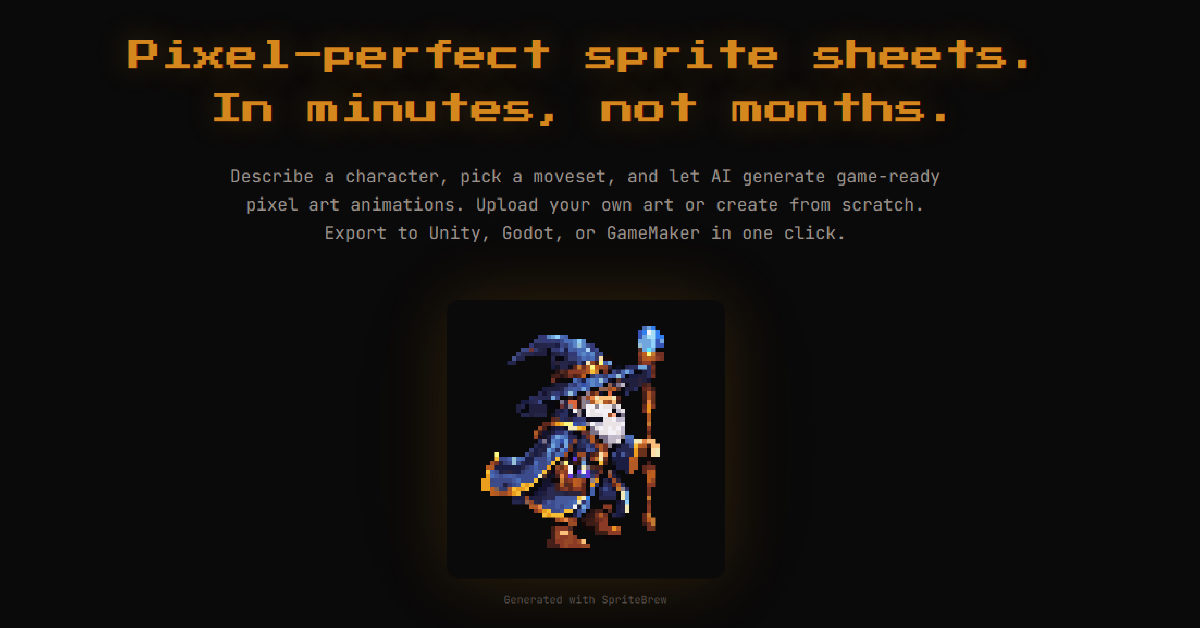
 SpriteBrew ▲ 2 ▼ 0
SpriteBrew is a specialized web-based toolkit created by indie developer George Albanese to solve one of the biggest bottlenecks in 2D game development: tedious frame-by-frame sprite animation.

 WaveSpeed AI ▲ 2 ▼ 0
WaveSpeed AI is an all-in-one cloud inference engine and media aggregator that bypasses the headache of managing dozens of separate AI subscriptions.
 Pixelcut ▲ 2 ▼ 0
Pixelcut is an AI-powered creative platform engineered specifically for e-commerce brands, marketplace merchants, and digital marketers looking to produce studio-grade visuals without booking traditional photo shoots.