
 Free
Free
Transcribe Video AI
Quick facts
- Pricing model
- Free
- Minimum price
- Free
- Free access
- Yes
- Platforms & integrations
- Web
- Interface languages
- English
- Service status
- Online, checked
Developer and reliability
Information about the developer and the service's terms. This is a factual reference, not a quality assessment or a guarantee of safety.
- Domain registered
- May 20, 2026
- The domain registration date is not the service's launch date.
Compare with alternatives
Choose a pair to compare features, pricing and payment methods.
About the tool
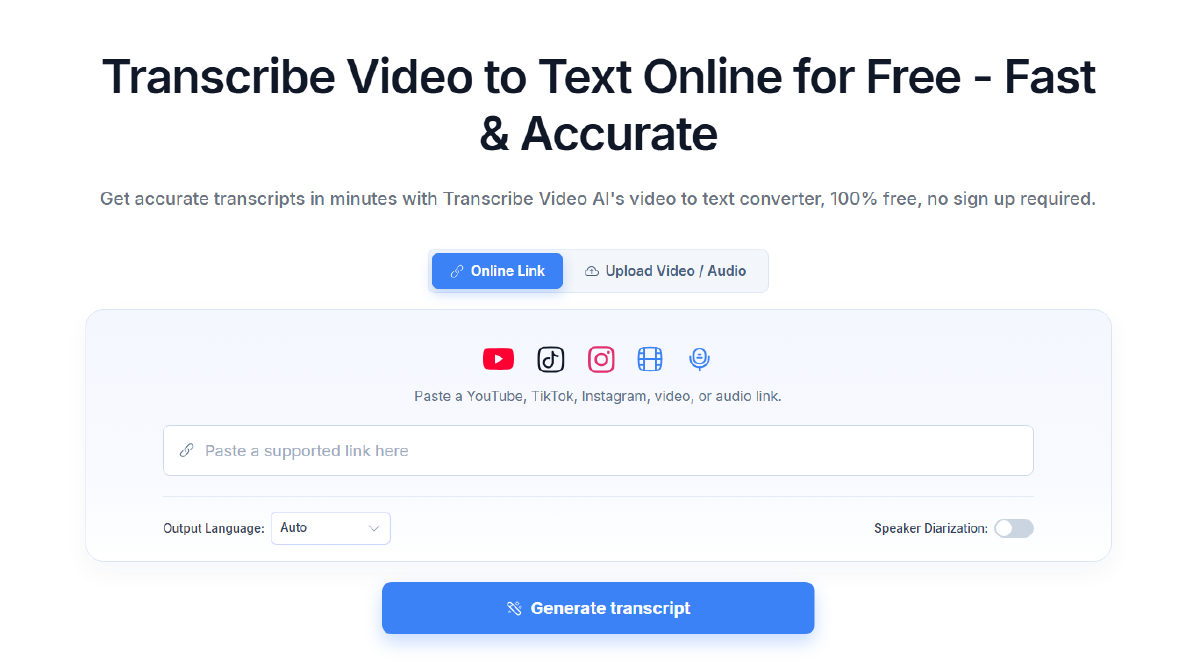
Transcribe Video AI is a lightweight, browser-based utility that turns video and audio into structured text, subtitles, and summaries without forcing you through onboarding funnels, sign-ups, or credit card forms. Instead of installing heavy desktop suites or waiting in long server queues, you either drop in a media file or paste a public link and let the system extract the transcript in a couple of minutes.
While all-in-one editing suites like VEED bundle automated transcripts into full multi-track timelines for video cutting, Transcribe Video AI focuses strictly on turning spoken audio into reusable text assets. It also tackles short-form content head-on: if you analyze social media angles like you would in Trendsee, you can feed it TikTok links or Instagram Reels to pull out spoken scripts and hooks immediately.
Key features and workflow:
- Multi-source media ingestion: Upload local files in MP4, MOV, AVI, MKV, or WEBM formats, or paste public URLs directly from YouTube (including playlists and Shorts), TikTok, and Instagram Reels without downloading the source video first.
- Speaker diarization and timestamps: Separates conversation turns by voice, labeling distinct speakers so panel discussions, interviews, and Zoom calls remain readable, complete with clickable timestamps.
- Multilingual speech recognition: Recognizes speech across more than 100 languages with automatic detection, plus in-app translation for the final transcript.
- Reel OCR capabilities: For Instagram Reels where vital context is pasted onto stickers or text overlays rather than spoken aloud, the tool scans on-screen visuals to pull out written text.
- Repurposing templates & AI chat: Converts raw transcripts into structured meeting minutes, study notes, chapter breakdowns, or visual mind maps, and includes an interactive AI chat to query YouTube video contents directly.
- Flexible export formats: Download your results as plain text (TXT), formatted documents (DOCX, PDF), or timed subtitle files (SRT, VTT) for editing environments.
Things to keep in mind: The site has visible contradictions regarding upload ceilings: the upload interface specifies a 100 MB cap, the homepage FAQs cite 1 GB, and the standalone generator page claims support for up to 5 GB (with YouTube videos supported up to 2 hours). Furthermore, there is no persistent cloud workspace or user account system—all media and generated texts are permanently wiped from the servers after 24 hours, so you need to export your files immediately after processing.
Transcribe Video AI Reviews
No reviews collected yet
We are collecting user reviews of this tool from public sources. They will appear here soon.
Transcribe Video AI Pricing & Plans
Prices are based on the provider's information and may change.
Transcribe Video AI Feature Comparison
Compare key features, prices and capabilities with similar tools
| Feature |  Current tool |  |  |  |
|---|---|---|---|---|
| Pricing model | Free | Free trial | Free trial | Freemium |
| Minimum price | Free | from RUB 3,300/month | from €22/month | from $19/month |
| Free access | Yes | Trial access | Trial access | Yes |
| User rating | ||||
| Current tool |
Frequently Asked Questions about Transcribe Video AI
Do I need to create an account or pay to use the service?
No. The service is available on a free plan that does not require an account, email verification, or payment details. You can open the website, paste a link or upload a file, and generate transcripts right away.
Which media formats and platforms can I transcribe?
You can upload local video and audio recordings in MP4, MOV, AVI, MKV, and WEBM formats, or supply direct public links from YouTube (including playlists), TikTok, and Instagram Reels. Private, age-restricted, or deleted videos cannot be processed.
Does the transcription tool support speaker diarization?
Yes. You can toggle speaker diarization before running the transcription. The system identifies different voices in the audio track, labels them individually, and aligns their dialogue with timestamps for easy review.
How long are uploaded files and transcripts stored?
Transcribe Video AI does not provide permanent account storage. Files and generated results are processed over encrypted connections and automatically deleted permanently after 24 hours. Always save or export your TXT, DOCX, PDF, SRT, or VTT files before closing the session.
What languages is the Transcribe Video AI interface available in?
The Transcribe Video AI interface is available in: English.
What platforms is Transcribe Video AI available on?
Transcribe Video AI is available on: Web.
Similar tools
 Trendsee ▲ 2 ▼ 0
Analyzes viral short-form videos (TikTok, Reels, Shorts), breaking down structures and generating shooting scripts/carousels. The tool targets SMM specialists, content strategists, agencies, and entrepreneurs for video pre-production and content creation.
 VEED ▲ 1 ▼ 0
Offers a browser-based video studio that combines timeline editing with generative AI tools for creators. It enables users to record footage, generate videos from text prompts, edit clips directly through transcripts, and dub audio with lip synchronization.
 CinLink ▲ 1 ▼ 0
A prompt-driven video post-production tool that lets you edit, subtitle, translate, dub, and repurpose footage through plain text or voice commands. It indexes local media for semantic scene search and helps solo creators, podcasters, educators, and agencies turn long videos into localized, social-ready clips.





