
 Paid
Paid
Cast AI
Quick facts
- Pricing model
- Paid
- Minimum price
- Contact for pricing
- Free access
- No
- Platforms & integrations
- Web
- API
- Interface languages
- English
- Service status
- Online, checked
Developer and reliability
Information about the developer and the service's terms. This is a factual reference, not a quality assessment or a guarantee of safety.
- Developer
- Cast AI
- Legal entity
- CAST AI Group, Inc.
- Legal entity's country
- United States
- Domain registered
- December 16, 2017
- The domain registration date is not the service's launch date.
Compare with alternatives
Choose a pair to compare features, pricing and payment methods.
About the tool
Most FinOps tools do little more than dump colorful cost charts into your lap and generate endless Jira tickets telling you to resize your Kubernetes pods. Cast AI ditches passive monitoring for autonomous execution. Instead of leaving SREs and DevOps engineers to manually tweak YAML files, the platform ingests telemetry, cost data, and SLO metrics to rightsize workloads and orchestrate nodes directly inside your production clusters.
At the core of the service is the Cast AI Engine, a predictive machine learning model trained on operational datasets from thousands of clusters and millions of workloads. Rather than relying on rigid threshold rules, the engine tracks actual resource utilization down to the millicore. It predicts Spot instance interruptions up to 30 minutes in advance, migrating workloads gracefully before cloud providers yank capacity. It also tackles container bin-packing through its Evictor component, packing pods tightly to eliminate underutilized machines and automatically falling back to On-Demand capacity when spot pools run dry.
While specialized AI compute clouds like Together AI or Novita AI focus on offering managed GPU instances and serverless model endpoints, Cast AI takes charge of the Kubernetes clusters you already run across AWS, Microsoft Azure, Google Cloud, and Oracle Cloud. It brings that same autoscaling discipline to AI and machine learning infrastructure: you get GPU sharing through time-slicing, NVIDIA Multi-Instance GPU (MIG), Dynamic Resource Allocation (DRA), and smooth orchestration for LLM inference workloads inside your private VPC.
What the platform delivers:
- Autonomous workload rightsizing: Continuously tunes CPU and RAM requests, limits, and replica counts on the fly, preventing out-of-memory crashes and resource starvation without unnecessary restarts.
- Intelligent cluster autoscaling: Automates node provisioning, aggressive bin-packing, and cluster hibernation during non-working hours, slashing compute bills by up to 70%.
- GPU infrastructure optimization: Squeezes maximum density out of hardware using GPU time-slicing, multi-cloud GPU connectivity, and granular cost attribution per namespace and project.
- OpsPilot and agentic runbooks: Uses an interactive AI assistant and self-healing runbooks to diagnose cost anomalies, resolve configuration drift, and fix operational failures under human approval workflows.
- Enterprise visibility and compliance: Ships with free namespace-level cost monitoring, SOC 2 compliance, and ISO 27001 certification, alongside native integrations for Terraform, Helm, Crossplane, Prometheus, and Grafana.
Keep in mind that enabling full autonomy means granting substantial IAM and RBAC privileges in your cloud environments so the platform can provision nodes and mutate workloads. On top of that, running aggressive pod evictions and consolidation demands properly configured Pod Disruption Budgets (PDBs) and thorough validation on staging clusters to keep critical services completely stable.
Cast AI Reviews
No reviews collected yet
We are collecting user reviews of this tool from public sources. They will appear here soon.
Cast AI Pricing & Plans
Prices are based on the provider's information and may change.
Looking for a free option? Try these alternatives to Cast AI:
Cast AI Feature Comparison
Compare key features, prices and capabilities with similar tools
| Feature |  Current tool |  |  |  |
|---|---|---|---|---|
| Pricing model | Paid | Freemium | Paid | Freemium |
| Minimum price | Price not specified | from $20/month | Price not specified | from $20/month |
| Free access | No | Yes | No | Yes |
| User rating | ||||
| Current tool |
Frequently Asked Questions about Cast AI
How does Cast AI optimize Kubernetes costs without causing downtime?
Cast AI uses its predictive ML engine to spot Spot instance interruptions up to 30 minutes in advance, preemptively draining nodes and migrating pods before capacity disappears. It coordinates horizontal and vertical scaling, resizes pods in place where supported, and strictly respects Pod Disruption Budgets to wipe out resource waste down to the millicore without crashing live applications.
Which cloud platforms and environments are supported?
It natively automates managed clusters across AWS (EKS), Google Cloud (GKE), Microsoft Azure (AKS), and Oracle Cloud Infrastructure (OKE). You can also run it on bare-metal servers, on-premises data centers, and distributions like Red Hat OpenShift, SUSE Rancher, and VMware Tanzu via Cast AI Anywhere — though bare-metal environments focus mainly on pod rightsizing rather than automated machine provisioning.
How does the pricing model work, and is there a free tier?
Real-time cost monitoring is completely free: teams can track idle compute, network traffic, and spending down to individual namespaces and workloads without paying for an optimization license. Turning on active automated rightsizing, predictive autoscaling, and GPU optimization requires a paid plan, which is quoted on request based on your infrastructure size and requirements.
Do I have to give Cast AI write access to my production clusters right away?
Not at all. You can onboard any cluster in minutes in read-only mode using a Helm chart, the castctl CLI, or Terraform. In this mode, Cast AI only collects telemetry and runs optimization simulations, showing you exactly how much money and compute capacity you can save before you ever grant the IAM and RBAC permissions needed for automated changes.
What languages is the Cast AI interface available in?
The Cast AI interface is available in: English.
What platforms is Cast AI available on?
Cast AI is available on: Web and API.
Similar tools
 Ollama ▲ 2 ▼ 0
Runs and orchestrates open-weight AI models locally or in the cloud without requiring manual CUDA setups or library wrangling. Built for developers, it enables private on-device execution alongside drop-in compatibility with standard API protocols.
 Novita AI ▲ 2 ▼ 0
Provides serverless model APIs, on-demand GPU infrastructure, and isolated code execution sandboxes for software engineers and ML teams. It enables developers to access hundreds of AI models and run autonomous agent workflows without configuring virtual machines.
 Replit ▲ 2 ▼ 0
Builds and deploys full-stack web applications, backends, and databases directly from natural language prompts within a unified cloud workspace. An autonomous agent generates multi-file code, installs dependencies, and runs automated browser tests to detect and fix errors.
 Requesty ▲ 2 ▼ 0
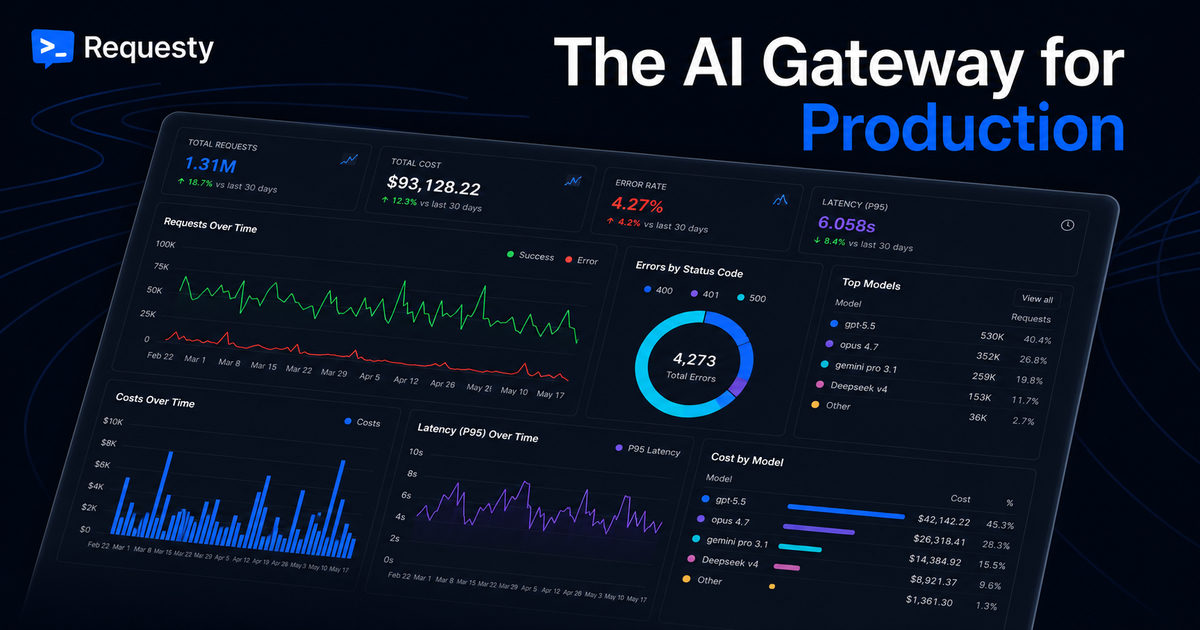
Routes application traffic to external model endpoints through a single OpenAI-compatible API. It provides automated failovers, dynamic load balancing, real-time PII scrubbing, and detailed usage tracking.







